The best way to fix water damaged iPhone starts with acting quickly and calmly. Water accidents happen all the time—whether it’s a drop in the sink, a splash at the beach, or a spill at the dinner table. These moments can be overwhelming, but the right steps can make all the difference.
Instead of panicking, focus on proven solutions that actually work. This guide covers practical methods, repair options, and expert tips designed to give your iPhone the highest chance of survival.

Can You Really Fix an iPhone After Water Damage?
Yes, it’s possible, but it depends on how fast you act and how severe the damage is. Even though Apple promotes water resistance, no model is truly waterproof. The best way to fix water damaged iPhone begins with spotting the danger early. Water can seep inside, short-circuit the logic board, corrode connectors, and silently harm the device.
You’ll usually notice warning signs like:
-
Distorted sound or muffled speakers – water inside the audio system.
-
Screen glitches – ghost touches or random flickering.
-
Hardware issues – Face ID not working, home button failures, or unexpected shutdowns.
It’s similar to spilling liquid on a laptop: it may still turn on, but hidden damage keeps spreading. Acting quickly and recognizing these symptoms will guide you toward DIY fixes or professional repair before things get worse.
Best Way to Fix Water Damaged iPhone (Step-by-Step Guide)
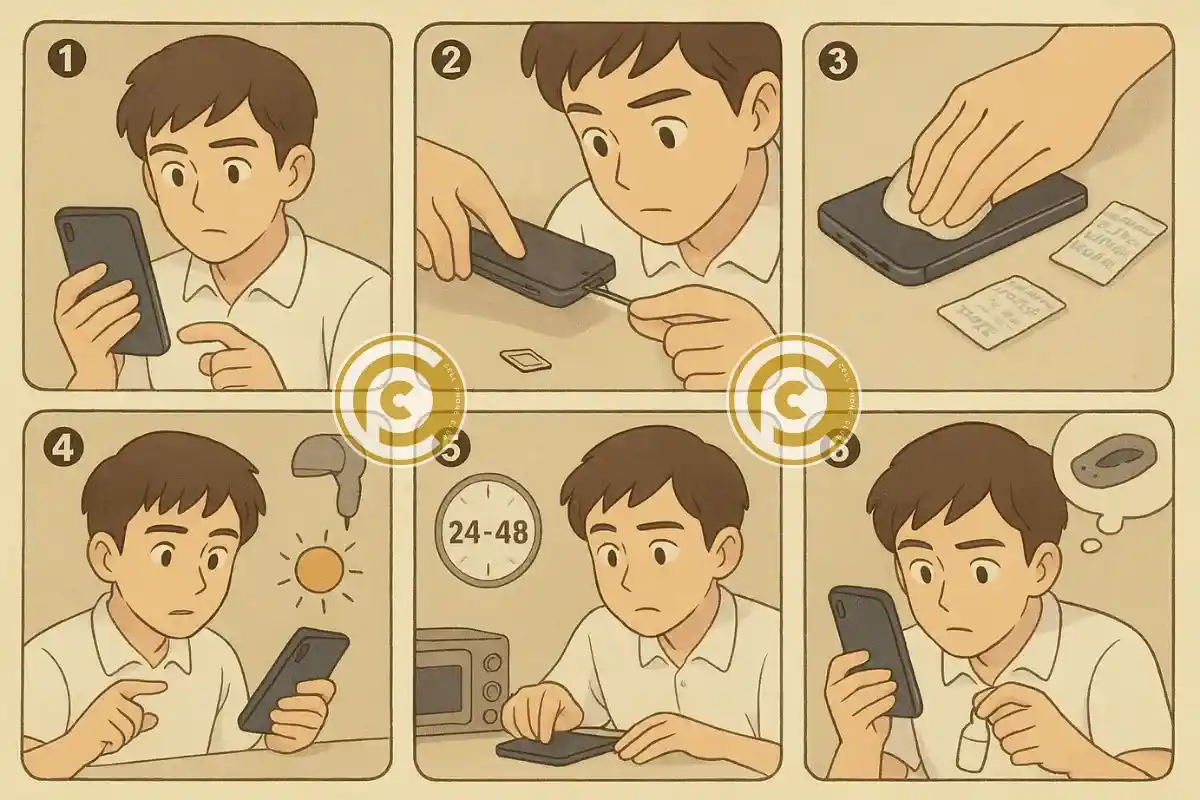
The Best Way to Fix Water Damaged iPhone starts by switching it off and keeping it off. Remove the case, SIM tray, and accessories, then dab the exterior with a lint-free cloth.
-
1) Power down & isolate: Hold the power button; don’t charge or press extra keys.
-
2) Drain & disassemble: Tilt ports downward; eject SIM; remove case and protector.
-
3) Dry correctly: Pat surfaces; seal with silica gel or use gentle vacuum drying. Skip rice.
-
4) Avoid heat: No hairdryers, ovens, or direct sun—heat drives moisture deeper.
-
5) Wait & test: Leave 24–48 hours, inspect ports, reinsert SIM, then power on.
-
6) Still glitchy? Clean ports with 90%+ isopropyl or seek ultrasonic cleaning.
iPhone With Water Damage – How Can I Fix It?
When your iPhone takes an unexpected dip, knowing the best way to fix water damaged iPhone can save you from costly replacements. Immediate action is key: remove the device from water, power it off, and gently dry external ports. Simple DIY steps like using a microfiber cloth or placing the phone in a dry, ventilated area can prevent further short-circuiting.
However, water can silently corrode internal circuits, which is where professional repair becomes essential. Experts use advanced tools like ultrasonic cleaners to remove microscopic water residue and replace affected components.
Key Points to Consider:
-
Immediate drying – reduces short-circuits and further damage
-
Avoid powering on – prevents electrical surges
-
Professional cleaning – ensures long-term reliability
Treat DIY fixes as a temporary measure, but the best way to fix water damaged iPhone for lasting results is professional intervention.
Read Also: How to Recover Data from Water Damaged Samsung Phone: 7 Proven Fixes !
Places That Fix Water Damaged iPhones
When your iPhone suffers from liquid exposure, choosing the right repair service is crucial. Apple often avoids repairing water-damaged devices directly, offering expensive replacements instead. That’s where specialized third-party repair shops come in—they provide affordable, effective solutions tailored for water-damaged iPhones. Cell Phone Club, As one of the best repair stores for phones for example, is known for its skilled technicians and advanced repair tools.
These shops use ultrasonic cleaners to remove corrosion and precise soldering stations to restore affected circuits. repairing water damaged iPhone often relies on these professional techniques rather than DIY fixes.
Key factors to consider when selecting a repair place:
-
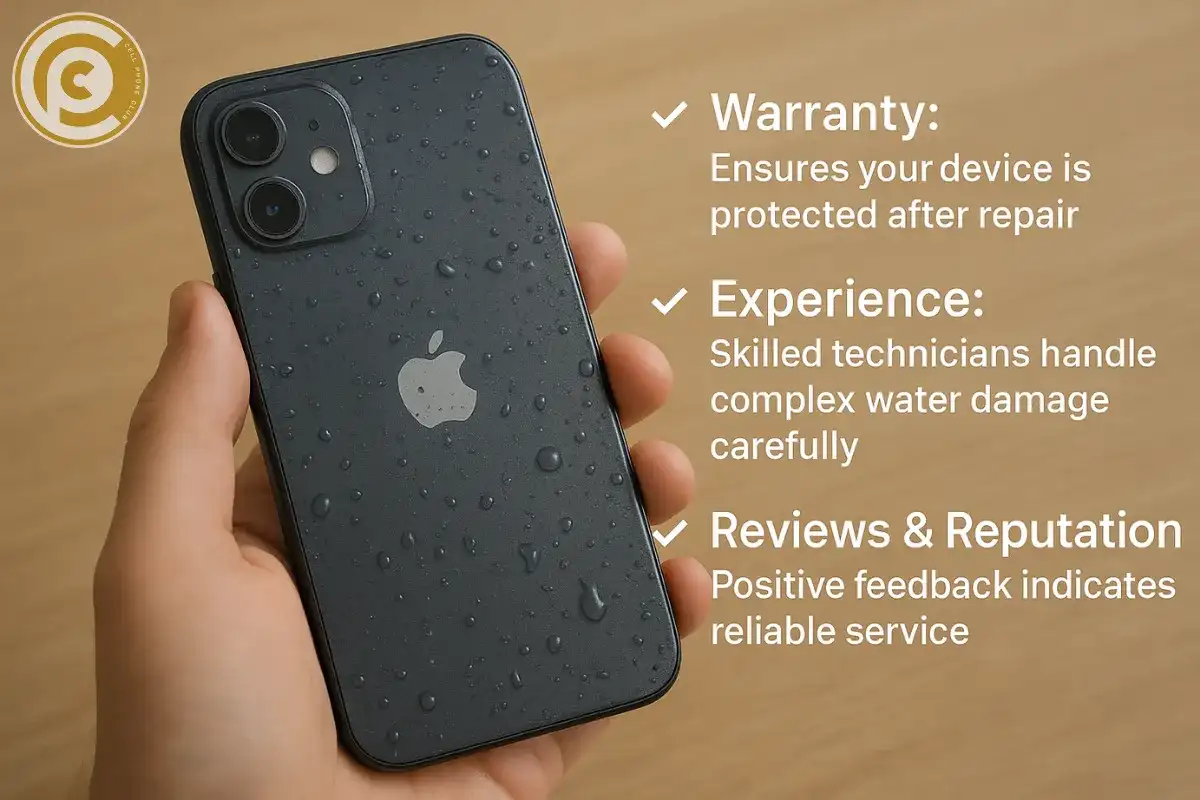
Warranty: Ensures your device is protected after repair.
-
Experience: Skilled technicians handle complex water damage carefully.
-
Reviews & Reputation: Positive feedback indicates reliable service.
Avoid cheap, inexperienced providers—they might worsen the damage instead of fixing it.
Water Damage Phone Repair Cost
When it comes to restoring a soaked iPhone, understanding repair costs is crucial. The best way to fix water damaged iPhone doesn’t always mean paying a huge sum. Simple water cleanings or minor component fixes at a local repair shop typically range between $50–$100.
However, if vital parts like the screen, Face ID sensors, or the logic board are severely damaged, expenses can quickly climb to $300–$600. At this stage, some users might consider replacing the device instead of repairing it.
Here are key factors affecting the cost:
-
Severity of damage: Deeper water penetration means more expensive repairs.
-
Parts replacement: Components like the logic board or sensors drive costs up.
-
Data value: Sometimes, the memories and files inside the iPhone justify repairing over replacing.
Being aware of these costs ensures you make the smartest choice for both your wallet and your data.
Face ID Not Working After Water Damage
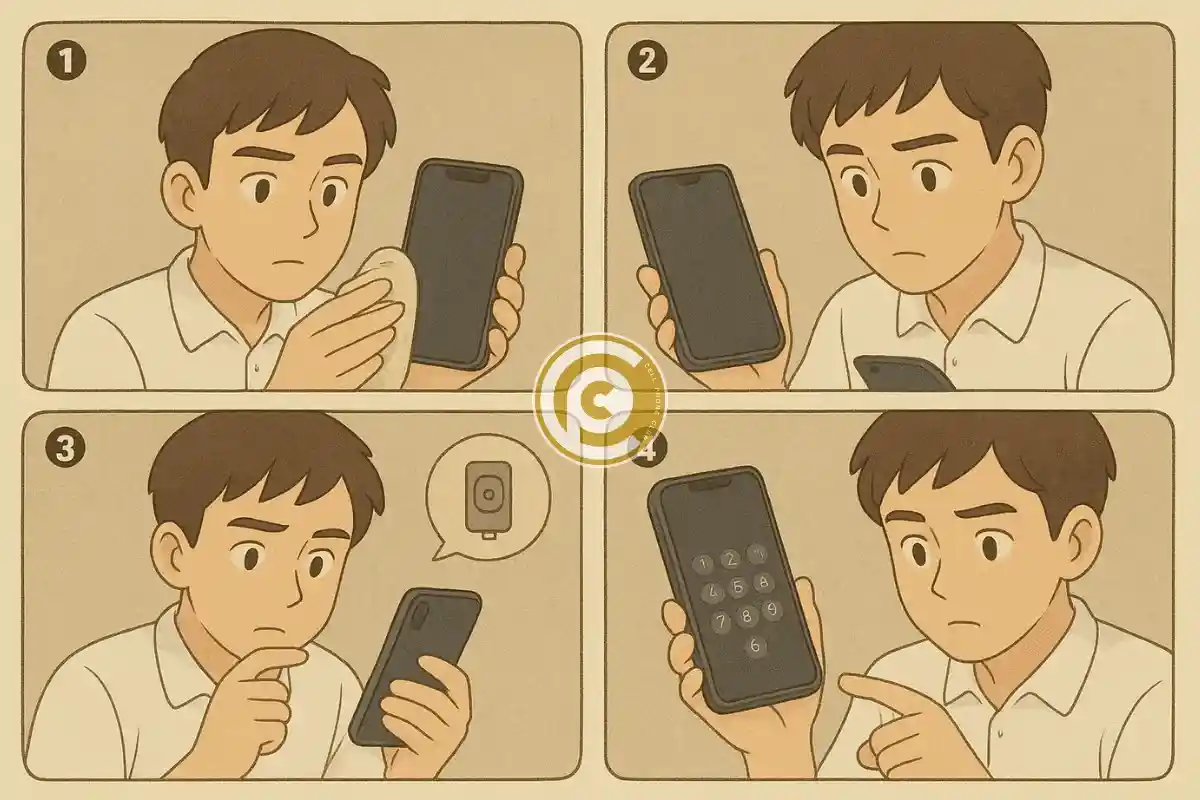
One of the trickiest problems after an iPhone gets wet is when Face ID stops working. The best way to fix water damaged iPhone with Face ID issues starts by examining the True Depth camera system, which is extremely sensitive to moisture. Even a small amount of water can interfere with the sensors and prevent facial recognition from functioning properly.
-
Clean the front glass carefully: Sometimes residue or water spots block the sensor, and gently wiping the glass can restore function.
-
Screen replacement: If moisture has affected the display assembly, swapping the screen may bring Face ID back to life.
-
Module damage: When the Face ID module itself is damaged, repair becomes complicated, and some units may be unfixable due to Apple’s security-tied hardware. In these cases, using your passcode is the only reliable way to access your device.
Home Button Not Working After Water Damage
Older iPhones with physical home buttons are particularly vulnerable to water exposure. Restoring a wet iPhone that has home button issues starts with identifying the root cause—whether it’s dirt, corrosion, or irreversible internal damage.
-
Clean the button area: Gently removing debris or moisture can sometimes bring temporary functionality back.
-
Check for corrosion: Water can damage the internal circuitry beneath the button, which may require professional repair.
-
Replacement option: Most repair centers can replace the home button, but Touch ID functionality is usually lost since Apple links the fingerprint sensor to the logic board.
While DIY fixes can help in minor situations, seeking professional help is often the most reliable way to restore a water-affected iPhone’s usability.
iPhone Touch Screen Not Working After Water Damage
A non-responsive iPhone screen is one of the most frustrating issues after liquid exposure. The best way to fix water damaged iPhone with touchscreen problems begins by carefully drying the device and gently cleaning any visible moisture around the edges. Ignoring this can make ghost touches or dead zones worse, as water often seeps beneath the display, affecting the digitizer.
Here’s what helps tackle this issue effectively:
-
Immediate drying: Use a soft, lint-free cloth and remove any case to allow airflow.
-
Temporary restart: Powering off and on might give brief functionality but rarely solves the underlying damage.
-
Professional replacement: Replacing the digitizer or display panel ensures your iPhone regains full touch sensitivity and smooth operation.
Handling it this way maximizes your chances of restoring normal use quickly and safely.
Read Also: how to fix a cracked cell phone screen in 60 seconds
Headphone Jack Water Damage
For older iPhone models that still have a headphone jack, water exposure can lead to serious audio issues. Common signs include crackling, distorted sound, or complete audio loss. one of the ways to fix the headphone jack water damaged is to act carefully and systematically. Start by gently drying the port using a soft, lint-free cloth or a can of compressed air.
-
Avoid using metal objects: Poking inside can worsen the damage and may lead to permanent failure.
-
Monitor audio performance: If sound problems continue after drying, the headphone jack may require replacement.
-
Cost-effective solution: Fortunately, replacing a headphone jack is typically less expensive than repairing core components like the logic board. Remember, prevention—keeping your iPhone away from liquids—is always the smarter approach.
How to Get Water Out From iPhone Safely
Dealing with a water-damaged iPhone can be stressful, Forget the old rice trick—it rarely works and can leave dust or starch inside. Instead, focus on proven methods that safely remove moisture without causing heat damage.
-
Use Silica Gel Packs: Place your iPhone with several silica gel packs in an airtight container. These packs are excellent at absorbing moisture quickly and efficiently.
-
Vacuum Drying Bags: These specialized bags create a controlled environment that gently pulls water from the internal components.
-
Avoid Heat Sources: Never use ovens, microwaves, or direct sunlight—they can warp or burn delicate electronics.
For best results, keep your iPhone in a dry, well-ventilated area for at least 48 hours or consider professional drying machines at repair shops. Patience here greatly increases the chance of restoring full functionality.
Real Case Study – I Dropped My iPhone 8 Plus in Water
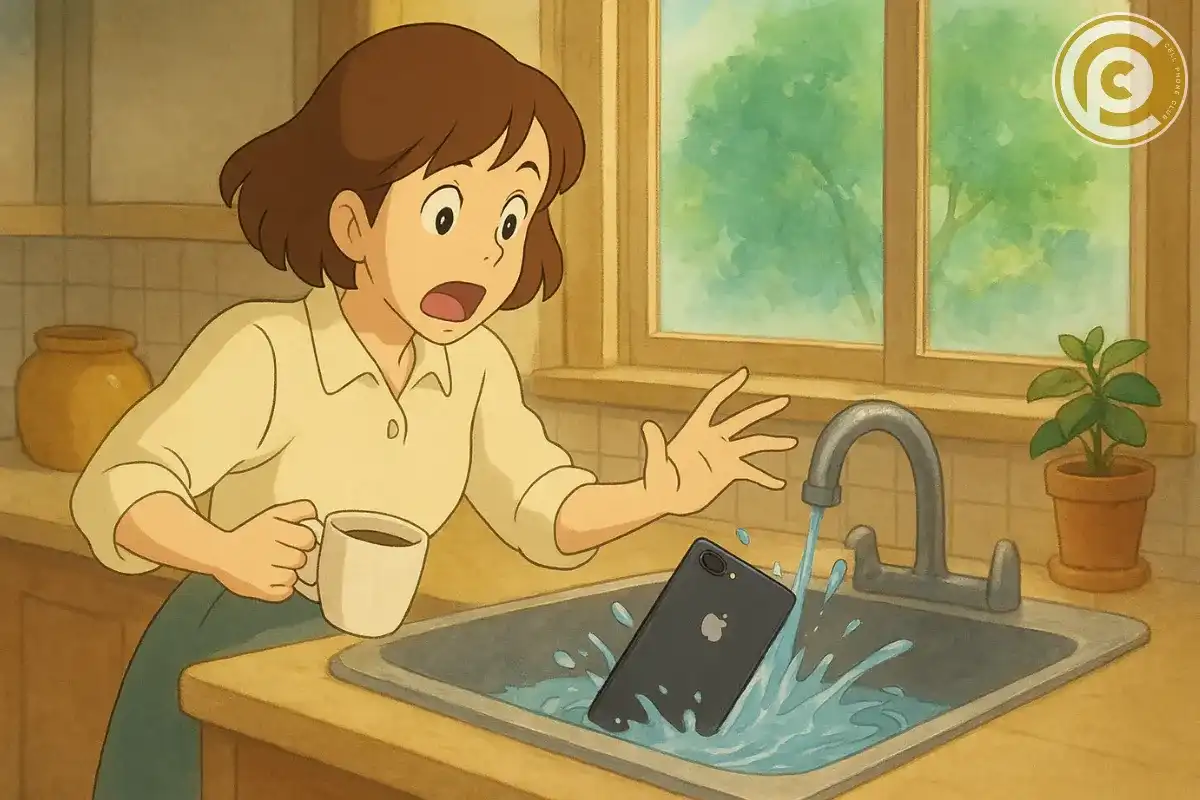
Let’s get real. a busy morning, coffee in hand, and suddenly—a splash! A customer accidentally dropped their iPhone 8 Plus straight into a sink full of water. Heart racing, they grabbed the phone immediately. Following the best way to fix water damaged iPhone, they powered it off without hesitation—every second counts in water damage situations.
Next, they carefully wiped the exterior and tucked the phone among several silica gel packets, creating a mini rescue zone. For 48 tense hours, the phone rested quietly, slowly drawing out the moisture. When they powered it back on, relief came—but the sound was muffled. A quick trip to a repair shop revealed the solution: ultrasonic cleaning brought the speakers back to life.
The takeaway? Fast, informed action can save your device, but expert help often ensures a full recovery. Water damage isn’t always catastrophic—preparedness makes the difference.
iPhone Water Resistance Explained (IP67/IP68 Ratings)
Apple advertises iPhones as water resistant, but this can be misleading. IP67 and IP68 ratings protect against splashes and brief submersion, but not prolonged or deep water. Over time, seals wear down, reducing protection.
So, while your iPhone may survive a rain shower, don’t expect it to withstand a swim. Marketing gives peace of mind, but reality demands caution.
Preventing Future iPhone Water Damage
When it comes to keeping your iPhone safe, prevention is always smarter than repair. Using a high-quality waterproof case is one of the easiest ways to protect your device in everyday situations. For poolside fun, beach trips, or rainy commutes, a waterproof pouch provides an added layer of security—affordable, practical, and reliable. Small habits also play a huge role: avoid leaving your iPhone near sinks, drinks, or humid bathrooms, and always store it in a dry spot when not in use.
-
Waterproof cases: Shield your iPhone from splashes and spills without adding bulk.
-
Pouches for adventures: Perfect for beach or pool, keeping your device completely dry.
-
Mindful storage: Simple daily habits prevent accidental water exposure.
When is an iPhone Beyond Repair After Water Damage?
Not every iPhone can be revived after a serious spill. Sometimes, the smartest approach isn’t just attempting to repair an iPhone after getting wet, but knowing when it’s beyond recovery. If the logic board or internal circuits are heavily corroded, repair costs can quickly exceed the price of a new device.
Before trying any fix, consider these key points:
-
Extent of internal damage: Severe corrosion or short circuits may make full restoration impossible.
-
Cost vs. value: Fixing a heavily water-damaged iPhone can be more expensive than replacing it.
-
Data recovery potential: Even if the device won’t fully function, photos, contacts, and files may still be salvaged.
Recognizing when an iPhone is beyond repair saves time and money, making replacement the practical, efficient choice.
Final Thoughts on Fixing a Water Damaged iPhone
The bottom line is simple: the best way to fix water damaged iPhone involves acting quickly, drying it properly, and getting professional help when necessary. Timing and care make all the difference in whether your device can be saved.
Consider these essential points:
-
Minor repairs: Issues like screens, buttons, or charging ports can often be restored.
-
Major damage: Features like Face ID or internal boards may be permanently affected.
-
Prevention: Using protective cases and avoiding exposure to liquids is always better than repair.
Water damage can be alarming, but following the right steps gives your iPhone the best chance of survival, keeping your data safe and extending the device’s lifespan.
FAQs About iPhone Water Damage
Can Apple fix a water damaged iPhone?
Apple usually doesn’t repair liquid-damaged iPhones. They offer replacements at a higher cost.
How long does it take for water damage to appear?
Symptoms can show instantly or days later as corrosion spreads.
Can rice really fix a water damaged phone?
No. Rice is ineffective compared to silica gel or professional drying.
Is it cheaper to repair or buy new?
Minor repairs are cheaper, but logic board damage may make replacement smarter.
What’s the fastest safe way to fix water damage at home?
Turn it off, dry externally, and use silica gel or vacuum drying.
Can Face ID work again after water damage?
Sometimes, but often Face ID modules are permanently damaged.
Why does my screen glitch after water exposure?
Moisture affects the digitizer, causing ghost touches or dead zones.
How much does water damage repair usually cost?
Anywhere from $50 for cleaning to $600 for board-level repairs.
What should I avoid after water damage?
Avoid charging, pressing buttons, or using heat to dry.
Is my iPhone waterproof?
No. It’s water resistant under limited conditions, but not fully waterproof.
Can a headphone jack be repaired after water damage?
Yes, it’s usually replaceable at a lower cost than other parts.
Should I back up data after water damage?
Absolutely. Even if the phone works, hidden damage can cause failure later.
Can corrosion spread inside the iPhone?
Yes, corrosion worsens over time, leading to delayed failures.
Does AppleCare cover water damage?
No, unless you have AppleCare+ with accidental damage coverage.
Can professional repair shops really save a soaked iPhone?
Yes, many use ultrasonic cleaning and micro-soldering to restore devices.