iOS 26 brings Apple’s boldest update yet, featuring a Liquid Glass redesign, smarter AI tools, and endless ways to personalize your iPhone. If you’re curious which iPhone will get iOS 26, this guide has you covered. The update offers sleek transparent app icons, improved widgets, and stronger privacy controls, making everyday use smoother and more enjoyable.
Knowing which devices are compatible helps you plan for upgrades and fully enjoy the new features. Whether you love exploring tech or just want your phone to perform at its best, iOS 26 delivers a modern, seamless experience.
Which iPhone Will Get iOS 26?
iOS 26 is available for iPhones released in the past few years, typically starting from the iPhone 12 series. This means models like iPhone 12, 13, 14, and 15 are fully supported. Installing iOS 26 brings a range of benefits, including improved speed, enhanced security, and access to Apple’s newest features. Even older eligible devices experience noticeable performance boosts, as Apple optimizes updates to balance efficiency and battery life.
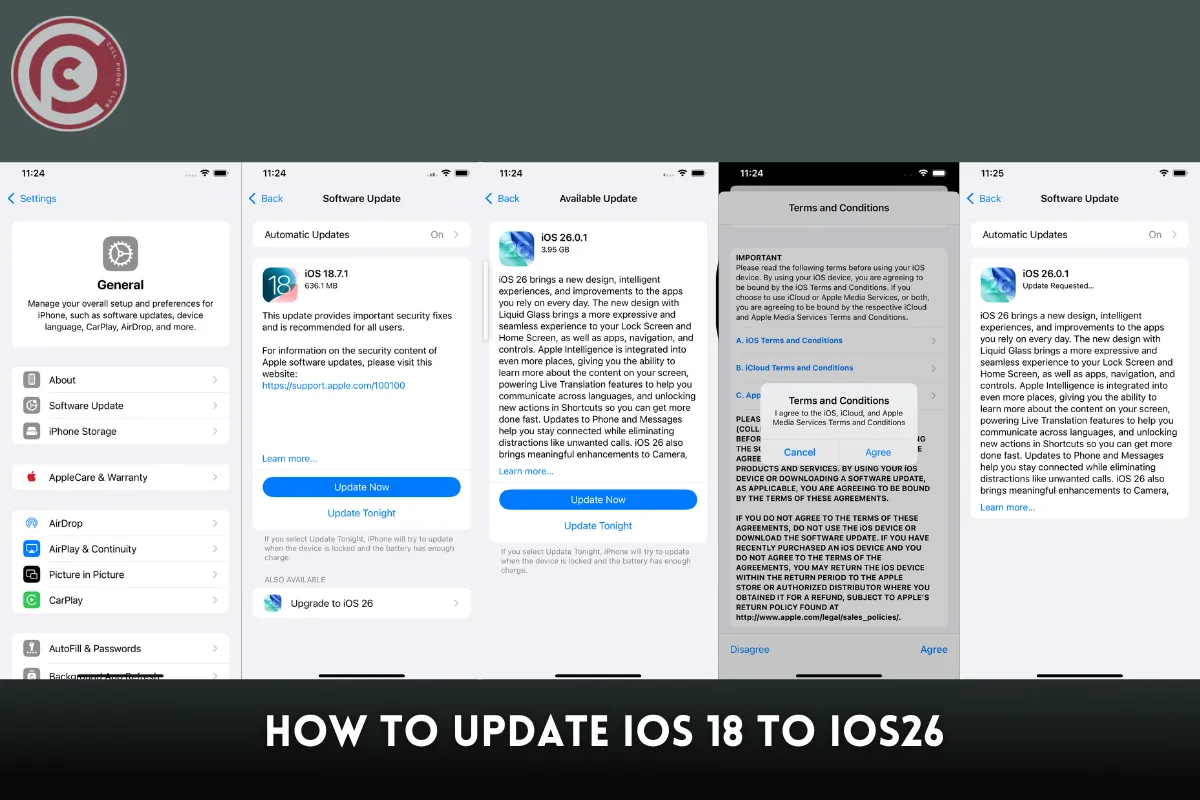
Updating is straightforward and ensures your iPhone stays current with Apple’s ecosystem. Here’s how to check and install iOS 26:
-
Go to Settings → General → Software Update: Your device will automatically show if iOS 26 is available.
-
Download and Install: Tap the button and follow the prompts for a smooth update.
-
Stay Protected: Updates include critical security patches and system enhancements.
Keeping your iPhone updated guarantees a faster, safer, and more modern user experience.
What iPhones Will Stop Working in 2026
Apple’s iOS updates always bring exciting innovations, but they also mark the end of support for older models. By 2026, devices like the iPhone 8, 8 Plus, and early iPhone X versions are expected to lose access to major updates. While these iPhones will still handle everyday tasks, they won’t receive the latest features, security patches, or app enhancements introduced in iOS 26. For users wondering which iPhone will get iOS 26, this change is a reminder to check device compatibility and plan upgrades early.
To stay prepared, consider:
-
Upgrading early: Move to a supported iPhone for uninterrupted iOS 26 access.
-
Backing up data: Keep photos, contacts, and apps safe before support ends.
-
Checking app compatibility: Ensure key apps will continue to run smoothly.
Staying informed about upcoming iOS 26 changes helps you upgrade wisely and enjoy Apple’s latest innovations seamlessly.
Read Also: Why Does My iPhone Only Ring Once ? Comprehensive Guide 2025
Why Did Apple Skip from iOS 18 to 26
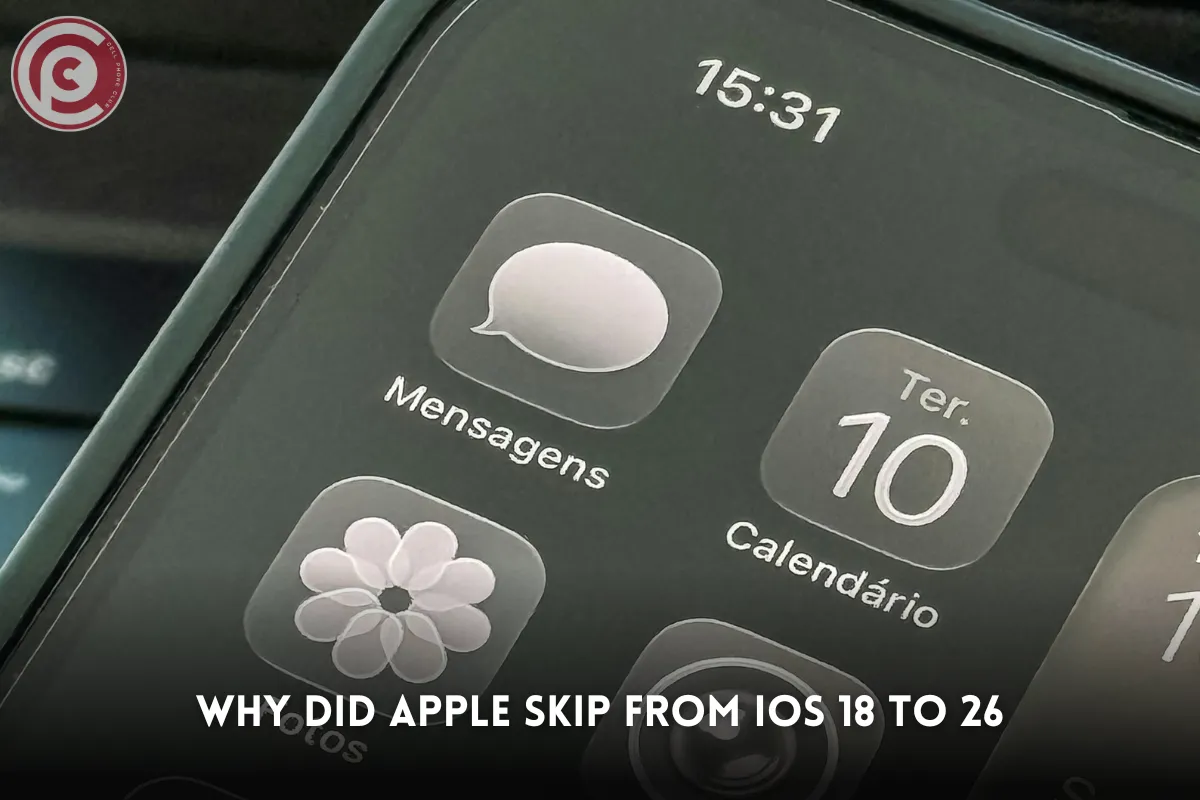
Apple’s leap from iOS 18 straight to iOS 26 might catch some off guard, but there’s a clear strategy behind this bold move. Rather than following a strict numerical order, Apple aligns major software versions with significant feature upgrades and hardware milestones. iOS 26 isn’t just a number—it’s a reflection of a generational leap in design and functionality.
Here’s what makes iOS 26 stand out:
-
Liquid Glass design: A sleek, modern interface that enhances visual fluidity.
-
Advanced AI features: Smarter, context-aware tools that streamline daily tasks.
-
Extensive customization: Options to tailor the interface, notifications, and widgets for a personalized experience.
Skipping versions highlights Apple’s focus on innovation and stability, signaling that iOS 26 is more than just another incremental update—it’s a major milestone in their software evolution.
How to Update iPad to iOS 26
Updating your iPad to iOS 26 is straightforward, but a little preparation makes the process smoother. Start by backing up your device using iCloud or iTunes to prevent any data loss. Next, make sure your iPad is connected to a stable Wi-Fi network and that the battery is at least 50% charged—or keep it plugged in during the update.
Once ready, follow these steps:
-
Open Settings → General → Software Update: Your iPad will automatically check for the iOS 26 update.
-
Download and Install: Tap the button when the update appears. Your device may restart several times during installation.
-
Enjoy New Features: After updating, explore the sleek Liquid Glass design, interactive widgets, and improved system performance. Staying current ensures your iPad works seamlessly with new apps and security enhancements in iOS 26.
How Do I Get the iOS 26 Update?
Updating to iOS 26 is straightforward, and you have two main options depending on your preference. The easiest method is over-the-air (OTA) directly on your iPhone. Simply open Settings → General → Software Update, then download and install the update. Make sure your device has enough storage space and a reliable Wi-Fi connection to avoid interruptions.
For those who prefer a wired method, you can use a computer. Connect your iPhone or iPad to a Mac or PC using Finder or iTunes, select your device, and check for updates. Keep in mind:
-
Gradual rollout: Apple releases updates in phases, so iOS 26 might appear a few days later for some users.
-
Device restart: If the update doesn’t show, restarting often helps.
-
Storage check: Insufficient storage can block installation, so clear space if needed.
Staying updated ensures your iPhone enjoys the latest features, security fixes, and smoother performance.
iOS 26 Liquid Glass Redesign Features
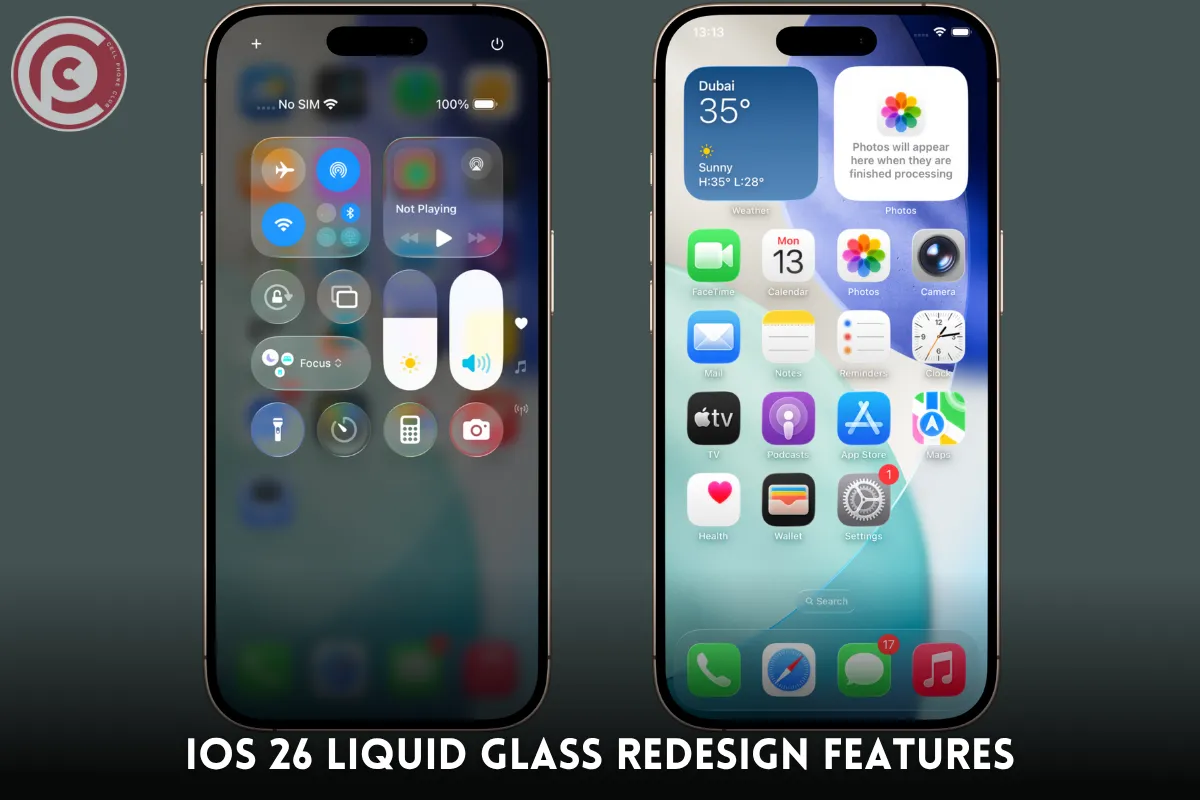
iOS 26 brings a fresh look to iPhones with its Liquid Glass redesign, combining style and usability seamlessly. The interface now feels lighter, more fluid, and intuitive, giving every interaction a polished, modern touch. Semi-transparent backgrounds and rounded edges add depth, while subtle effects make multitasking smoother and more responsive. The redesign goes beyond visuals—Apple refined animations so opening apps and switching tasks feels natural and effortless.
Key highlights of Liquid Glass include:
-
Immersive Widgets: Widgets float with a sense of space, making your home screen look organized yet dynamic.
-
Updated System Apps: Messages, Calendar, and Safari adopt the new aesthetic, making daily interactions visually pleasing.
-
Enhanced Animations: Transitions are smoother, boosting both speed and satisfaction in use.
With iOS 26, your iPhone isn’t just functional—it feels futuristic.
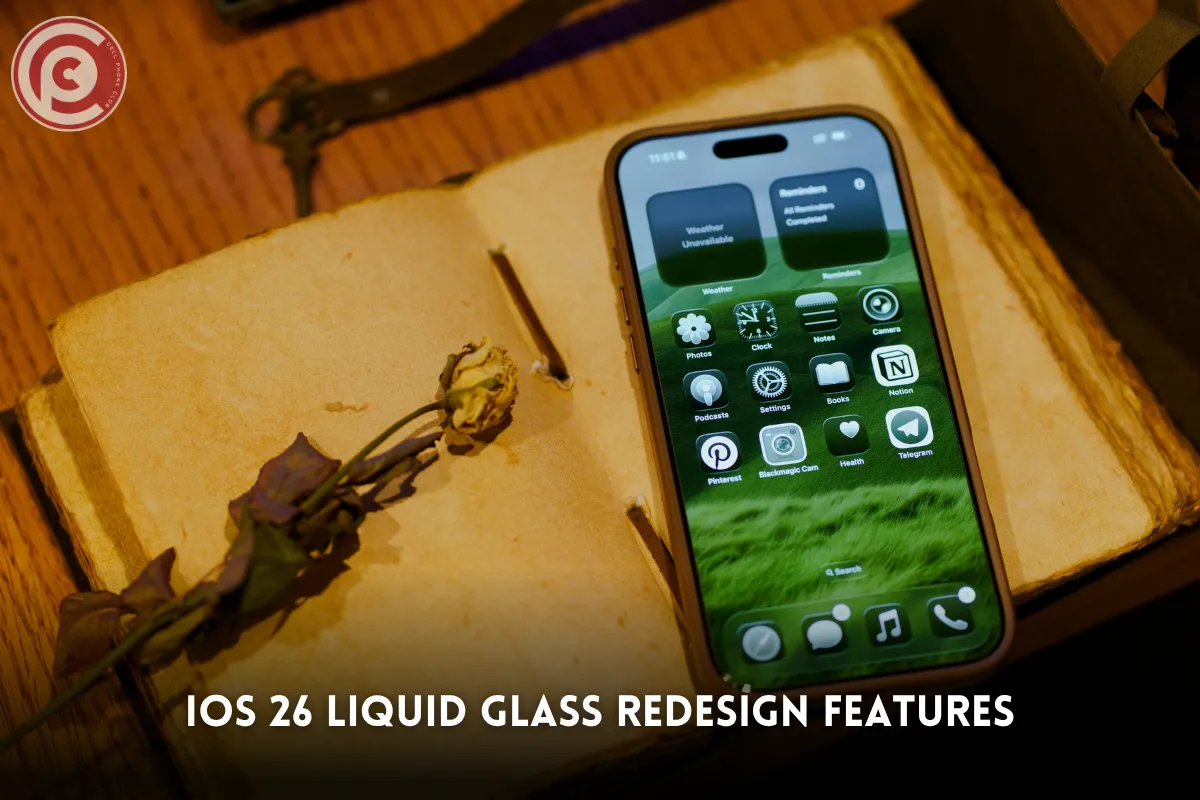
How to Make App Icons Transparent on iPhone
iOS 26 introduces an exciting level of customization for your iPhone’s home screen. One standout feature is the ability to make app icons transparent, giving your device a sleek and minimalist look. The process involves using the Shortcuts app to replace standard app icons with transparent PNG images. Once set up, these shortcuts can be placed on your home screen while the original apps are hidden, creating a clean and organized interface.
To get the most out of transparent icons, consider these tips:
-
Create a shortcut for each app – This ensures every app blends seamlessly with your wallpaper.
-
Combine with widgets – Mix in informative or decorative widgets to enhance functionality and aesthetics.
-
Use Liquid Glass visuals – Add a polished, futuristic touch to your home screen design.
This approach transforms your iPhone into a highly personalized space, balancing style and functionality effortlessly.
iOS 26 Performance Enhancements
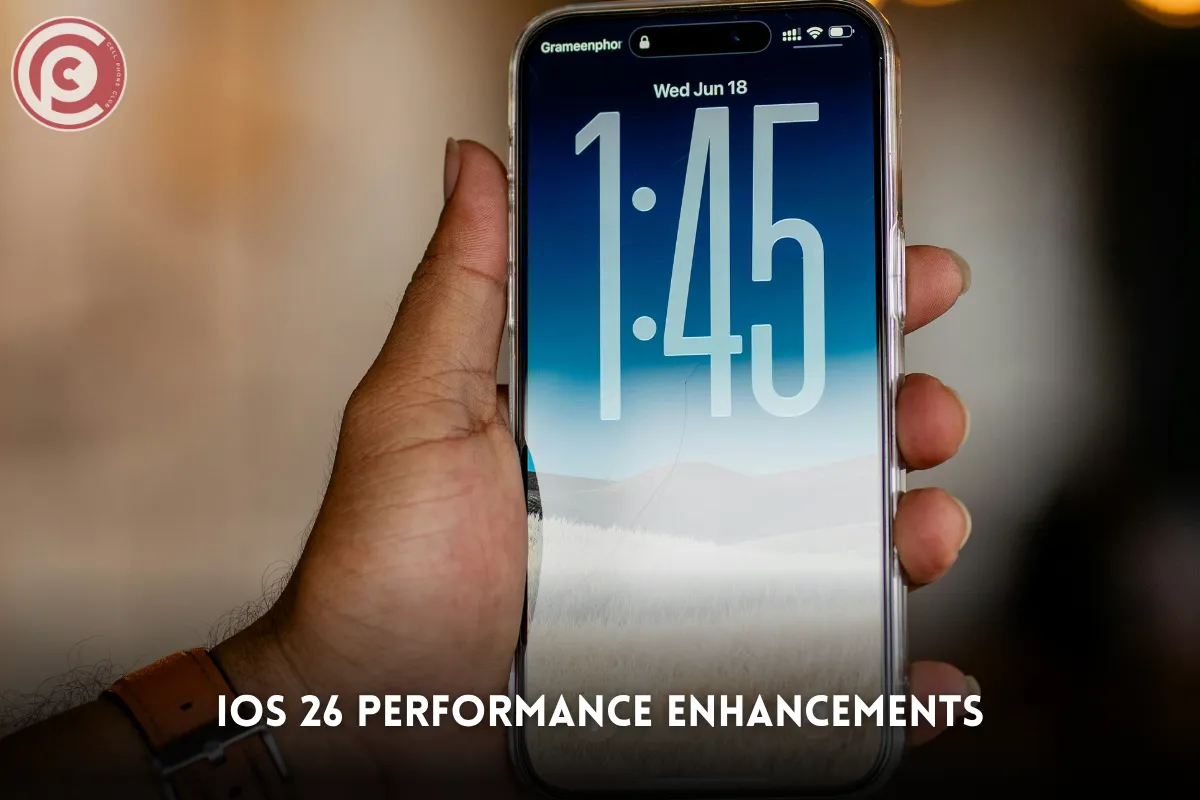
iOS 26 takes device performance to a new level, making every interaction smoother and more responsive. Apps open quickly, scrolling feels effortless, and multitasking between apps is noticeably more fluid. Optimized background processes and refined memory management work together to prevent crashes, keeping even older eligible devices running reliably.
Here are the key performance boosts in iOS 26:
-
Faster App Launches: Applications load almost instantly, reducing waiting time.
-
Smoother Animations: Transitions and system gestures feel more natural and fluid.
-
Enhanced AI Features: Siri suggestions and predictive text respond quicker, adapting intelligently to your usage patterns.
-
Improved Battery Efficiency: Optimized power management ensures longer use without sacrificing performance.
Overall, iOS 26 feels faster, smarter, and more reliable, enhancing daily interactions across all supported iPhones.
iOS 26 Privacy & Security Features
With iOS 26, Apple doubles down on privacy and user protection, ensuring every interaction feels safe and secure. The update strengthens core defenses while giving users more control over what data they share and with whom. Everything—from browsing in Safari to opening emails—is designed to protect personal information at every step.
Here’s how iOS 26 keeps your data secure:
-
Smarter App Tracking Transparency: Apps must request clear permission before collecting data, ensuring complete transparency.
-
Advanced Location & Permission Controls: You can share approximate locations instead of exact ones and manage permissions with precision.
-
On-Device Processing: Sensitive data like Siri commands and Face ID scans are handled locally, not on Apple’s servers.
-
Enhanced Safari & Mail Protection: Trackers and email pixels are blocked automatically for stronger privacy.
iOS 26 blends cutting-edge features with robust security, creating a safer, more trustworthy digital experience.
iOS 26 Widgets & Customization Options
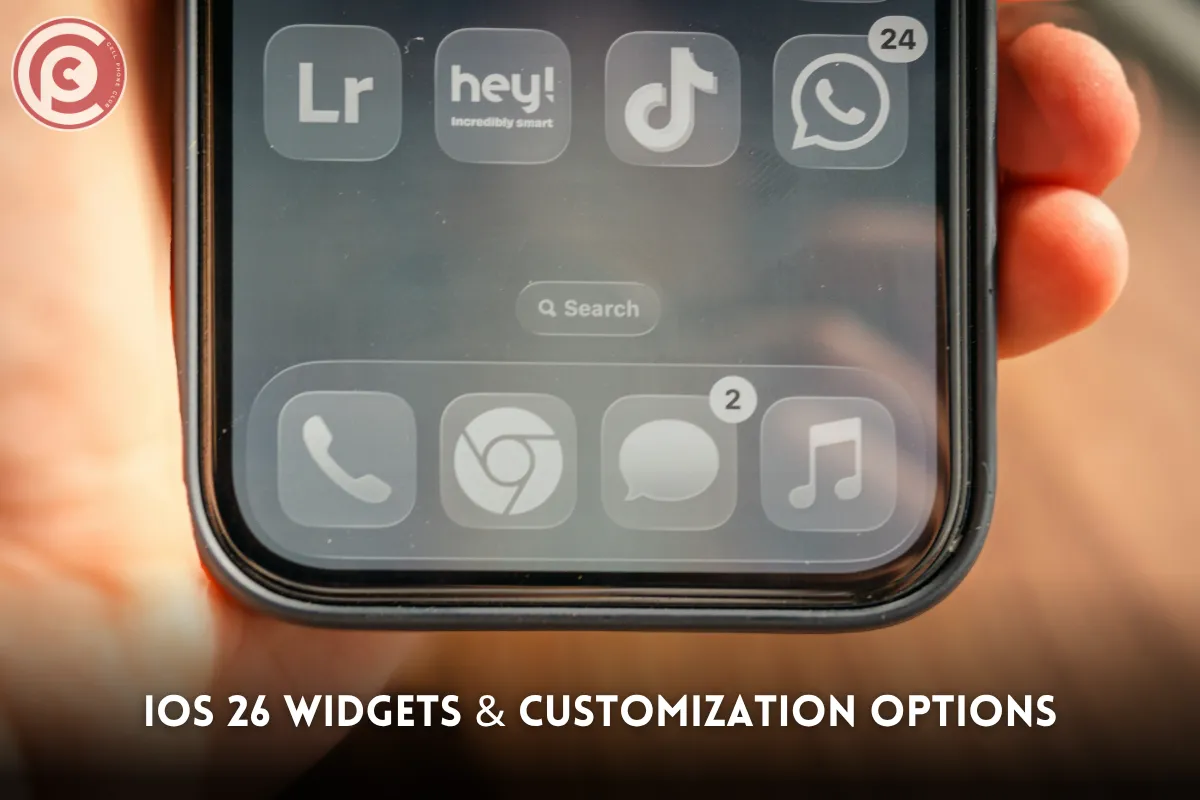
iOS 26 takes personalization to a whole new level, giving users more freedom than ever to design their ideal home screen. Widgets are now smarter, more interactive, and visually stunning, adapting in real time to how and when you use your device. Whether you’re checking your schedule, tracking fitness goals, or monitoring the weather, everything updates seamlessly.
Here’s what stands out in iOS 26 widget customization:
-
Dynamic Smart Stacks: Widgets automatically adjust based on time, activity, or location for effortless convenience.
-
Flexible Layouts: You can resize, layer, and position widgets anywhere on the screen to suit your workflow.
-
Refined Aesthetics: Transparent icons and the new Liquid Glass design blend beauty with functionality.
These upgrades make iOS 26 not just efficient—but uniquely yours, balancing productivity with personal style.
iOS 26 Keyboard and Accessibility Features
iOS 26 makes everyday interactions more natural and inclusive, refining how you type, communicate, and navigate your device. The keyboard feels smarter and more responsive, adapting to your typing habits while supporting multiple languages effortlessly. Whether you’re texting friends or drafting an email, the experience is smoother than ever.
Here’s how iOS 26 enhances typing and accessibility:
-
Smarter Keyboard Experience: Improved predictive text learns your writing style, while haptic feedback adds a tactile feel to every keystroke.
-
Expanded Accessibility Tools: Adjustable text size, higher contrast modes, and advanced VoiceOver features make reading and navigating simpler.
-
Custom Shortcuts: Personalized assistive shortcuts help users perform everyday actions faster and more comfortably.
With these thoughtful updates, iOS 26 delivers a more inclusive and effortless experience for all users.
Tips for iOS 26 Battery Management
With iOS 26, Apple brings smarter ways to keep your iPhone running longer and performing at its best. The update introduces intelligent battery management tools that work quietly in the background, ensuring your device stays powered throughout the day—even with the new AI-driven and visual features.
Here are some key ways iOS 26 helps optimize battery life:
-
Adaptive Charging: Your iPhone learns your daily routine and slows charging near 100% to protect long-term battery health.
-
Smart Power Monitoring: Apps that drain energy are automatically flagged so you can take action quickly.
-
Low Power & Efficiency Modes: These settings reduce background activity and balance performance with endurance.
-
Detailed Battery Insights: You can track usage patterns and make smarter adjustments for longer uptime.
With these upgrades, iOS 26 keeps your device efficient, powerful, and ready for all-day use.
iOS 26 App Store and Compatibility Updates
The App Store in iOS 26 gets a smart and stylish refresh, designed to complement the system’s new look and faster performance. Every section feels smoother, with a focus on showcasing apps that take full advantage of Apple’s latest technologies and visual design. Whether you’re browsing new tools or updating your favorites, the experience feels more connected to the overall iOS 26 ecosystem.
Here’s what’s new and improved in the App Store and compatibility features:
-
Optimized Apps: Developers now create apps that fully utilize Liquid Glass effects, AI-driven features, and interactive widgets.
-
Smart Compatibility Alerts: Users receive clear notifications before installing apps on unsupported devices.
-
Enhanced Transparency: Privacy labels and data usage details are more visible and easy to understand.
-
Improved Performance: Faster updates, smoother downloads, and tighter security integration.
Together, these changes make the App Store in iOS 26 more reliable, secure, and perfectly aligned with Apple’s refined user experience.
iOS 26 AI Features & Siri Enhancements
With iOS 26, Apple redefines what intelligent performance feels like. Artificial intelligence is woven throughout the system, quietly learning from your habits to make every interaction smoother and more personal. Siri takes a major leap forward—more natural, more responsive, and better at anticipating what you need before you even tap the screen. From writing texts to organizing your gallery, AI integration makes your iPhone smarter than ever.
Here’s how iOS 26’s AI makes a difference:
-
Smarter Siri: Offers proactive suggestions, such as opening an app or reminding you of a task automatically.
-
Enhanced Predictive Text & Alerts: Notifications and typing suggestions feel more relevant and precise.
-
AI Photo Recognition: Organizes photos intelligently and surfaces memories instantly.
-
Adaptive Performance: Machine learning refines multitasking, boosts battery life, and improves app fluidity.
With these intelligent upgrades, iOS 26 transforms your iPhone into a truly adaptive companion that evolves with your daily rhythm.
Read Also: Apple Intelligence vs. Galaxy AI vs. Gemini
iOS 26 Backup and Restore Options
Before diving into the exciting new features of iOS 26, making a proper backup is more important than ever. Apple has refined the entire backup and restore experience, ensuring that your data, apps, and preferences stay safe during the update process. Whether you prefer the convenience of the cloud or the control of a wired connection, iOS 26 gives you reliable options for both.
Here’s what’s improved in iOS 26 backup and restore:
-
Smarter iCloud Backups: Automatically store your apps, media, and settings securely—no cables needed.
-
Wired Alternatives: Use Finder or iTunes for a faster, local backup when managing larger files.
-
Selective Restore: Choose specific apps or data to restore without resetting your entire device.
-
Improved Reliability: Backups are faster, restorations smoother, and data protection stronger than ever.
With iOS 26, keeping your information safe and restoring it effortlessly has never been easier.
Troubleshooting Common iOS 26 Issues
Even with all its improvements, iOS 26 may occasionally present small hiccups—like app crashes, lagging screens, or failed updates. Thankfully, most of these issues are simple to fix and don’t require technical expertise. By following a few quick steps, users can restore smooth performance and enjoy everything iOS 26 has to offer without frustration.
Here are some practical tips to solve common iOS 26 problems:
-
Restart Your Device: A quick reboot often clears temporary glitches and refreshes system memory.
-
Reinstall or Update Apps: Outdated apps may conflict with iOS 26’s new architecture.
-
Free Up Storage Space: Keeping at least 10–15% of storage free prevents performance drops.
-
Ensure Stable Wi-Fi: Reliable internet helps avoid update interruptions or errors.
-
Use Apple Support Resources: Official guides offer step-by-step troubleshooting help.
By addressing minor issues early, you’ll keep iOS 26 running fast, secure, and hassle-free.
iOS 26 Tips for iPhone Customization
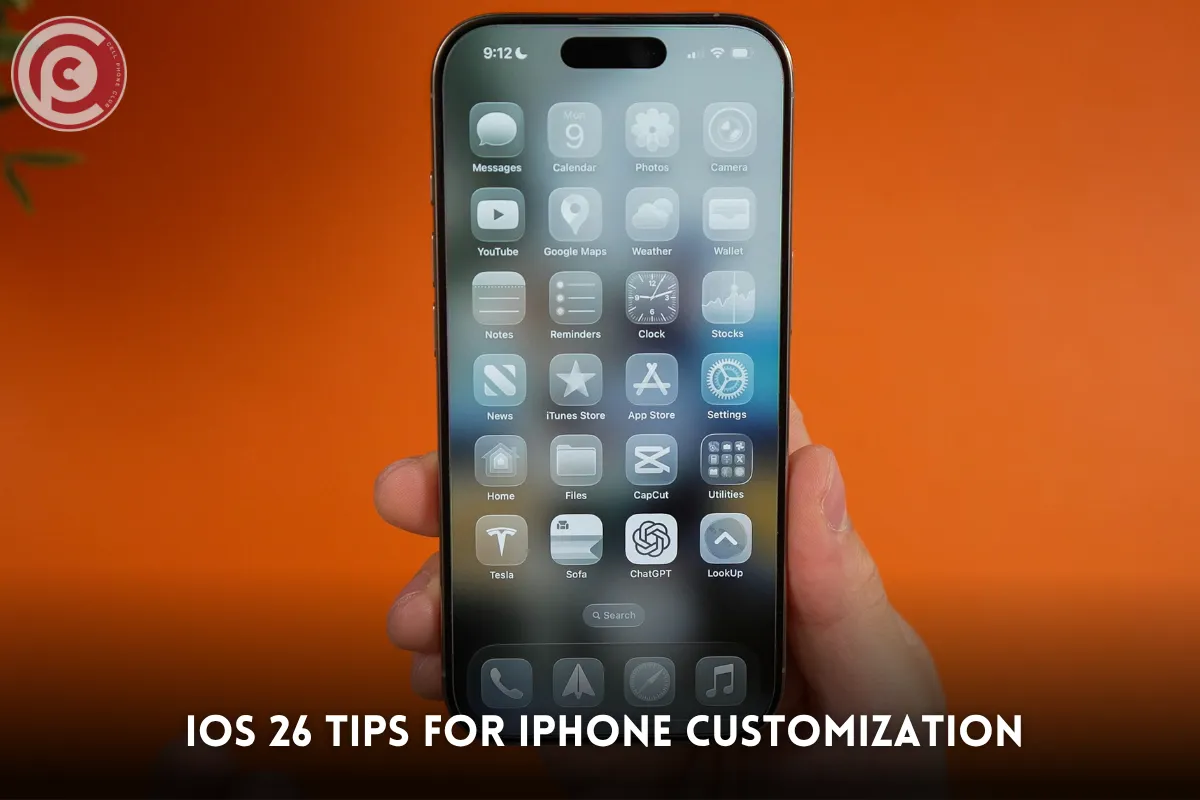
iOS 26 makes your iPhone truly yours with endless ways to personalize every corner of the interface. From dynamic widgets to transparent icons and vibrant wallpapers, you can craft a layout that reflects your personality while improving functionality. The sleek Liquid Glass design and interactive widgets bring your home screen to life, merging style with practicality.
Here’s how to make the most of iOS 26 customization features:
-
Design with Smart Stacks: Layer interactive widgets that adapt based on time and activity.
-
Use Transparent Icons: Create a clean, modern aesthetic that highlights your wallpaper.
-
Experiment with Layouts: Rearrange apps, colors, and shortcuts for better organization and flair.
-
Personalize with Themes: Match wallpapers and icons to your preferred style—minimalist, bold, or elegant.
With these tools, iOS 26 transforms your iPhone into a personalized, visually stunning experience.
FAQs
Can all iPhones run iOS 26?
Only newer models from iPhone 12 onward are compatible with iOS 26.
How do I make app icons transparent on iOS 26?
Use the Shortcuts app to create transparent PNG icons and hide the original apps.
What are the key design changes in iOS 26?
Liquid Glass interface, rounded edges, semi-transparent backgrounds, and immersive widgets.
Which iPhones will stop receiving updates in 2026?
iPhone 8, 8 Plus, and early iPhone X models are likely to lose support.
Can iOS 26 improve battery life on older iPhones?
Yes, optimized background activity and adaptive power management enhance battery performance.
How do I update my iPad to iOS 26?
Go to Settings → General → Software Update, ensure Wi-Fi connectivity, and follow prompts.
Is iOS 26 safe for daily use?
Yes, Apple thoroughly tests updates for stability, performance, and security.
What new AI features are included in iOS 26?
Enhanced Siri, predictive text, contextual notifications, and improved photo recognition.
How do I restore data after updating to iOS 26?
Use iCloud or iTunes/Finder backups for apps, settings, and media.
Can I customize widgets in iOS 26?
Yes, widgets can be resized, stacked, and made interactive on the home screen.